
Integrated payments for Sage 300

Payments that stay inside the work.

All-in-one payment processing solutions

Take card, ACH and recurring payments without sending your team to another system. InstaPAY keeps the transaction connected to Order Entry, Accounts Receivable and Sage CRM, backed by people you can actually reach.

Sage 300 / Accpac Level 2 / 3 optimization Human support
Business owner on the phone with payment metricsHuman support
Business owner and specialist reviewing a dashboardGuided onboarding
Business owner working by the oceanBusiness anywhere
Customer paying with a point of sale terminalPoint of sale
Human help when the money is moving
Today's volume$6,240.50 · up 12.5%
Gateway statusConnected to Sage 300
SettlementMatched and ready to post
Human support

People should still be part of payments.

A Helcim-style moving people strip, rebuilt with your imagery. It auto-scrolls, pauses on hover and can be dragged manually so the page always feels alive without becoming noisy.

Customer on the phone
“When the money is moving, I want a person who can answer the phone.”
Responsive support
Business owner and specialist collaborating
Payments should feel connected to the business, not bolted onto it.
Sage 300 integration
Professional working by the beach
Work from anywhere. Keep the numbers, payouts and customer records in reach.
Business visibility
Point of sale checkout
“When the money is moving, I want a person who can answer the phone.”
Responsive support
Payments should feel connected to the business, not bolted onto it.
Sage 300 integration
Work from anywhere. Keep the numbers, payouts and customer records in reach.
Business visibility
Scroll-driven story

The visual changes as the workflow changes.

The visual stays pinned while the page itself keeps scrolling normally. Each step advances the scene without trapping you inside the section.


Phone support
Collaborative onboarding
Point of sale checkout
Business visibility anywhere
1 workflowOrder → payment → receipt
0 re-keyingKeep the transaction tied to the record
Human helpSupport when the business needs it
01 · Reach a person

Start with support that feels reachable.

Your client liked the human layer in Helcim. Here it becomes part of the product story rather than a detached testimonial block.

Phone supportFast answersReal people
02 · Work in the screen

Show the business owner and specialist looking at the same workflow.

Orders, customers and payment status stay connected. The visual reinforces implementation and onboarding instead of using abstract software icons alone.

Order EntryARSage CRM
03 · Complete the transaction

Make the actual payment moment feel tangible.

The card-present scene lands on the concrete action: the customer pays, the terminal approves it and the transaction becomes part of the record.

Card presentApprovalSettlement
04 · Keep visibility anywhere

The work can move, without losing the business context.

The beach image is used as a light lifestyle beat, not a random travel photo. It closes the story with access to sales, payouts and payment visibility wherever the owner is working.

PayoutsReportingVisibility
Interactive hardware

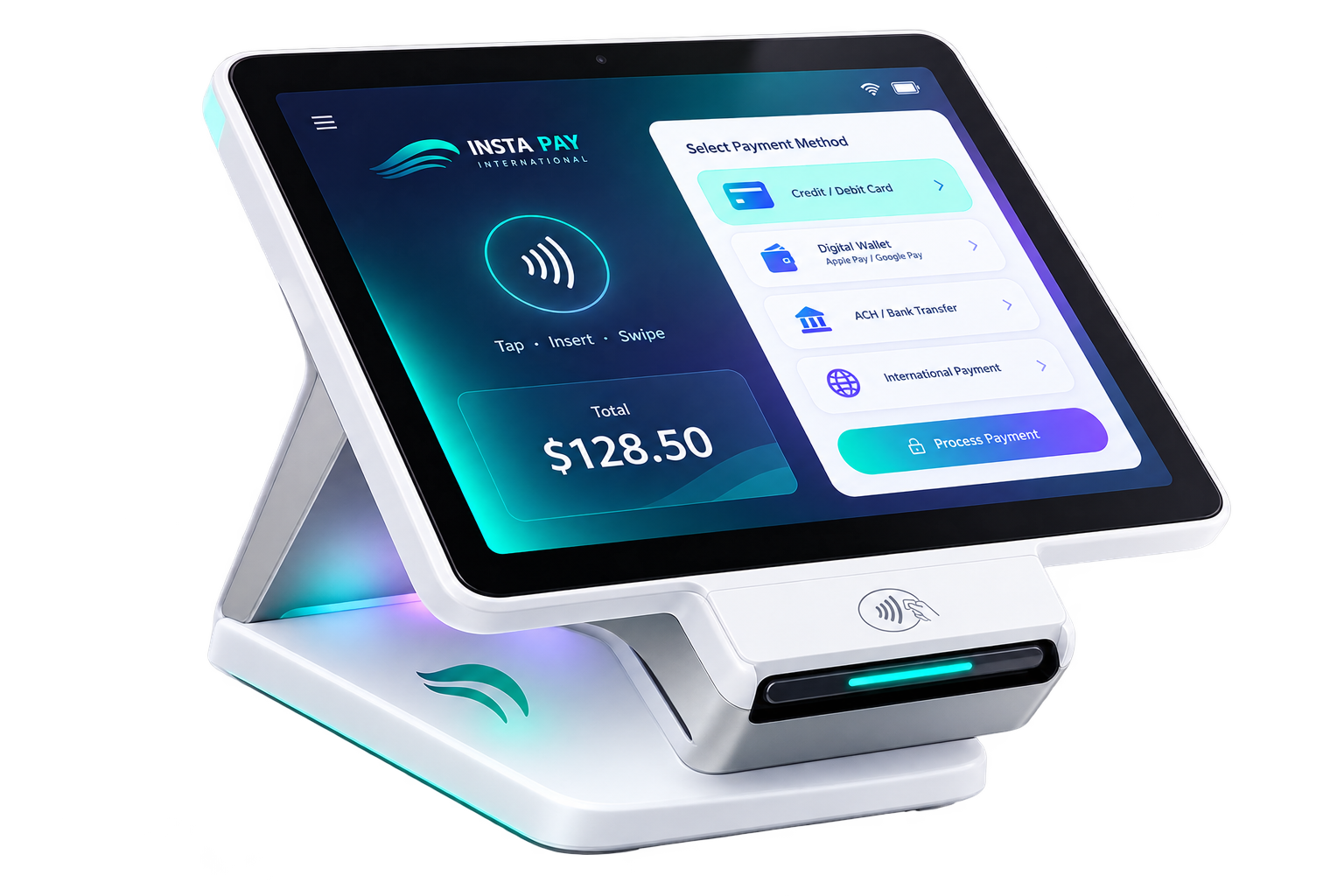
A POS device that actually behaves like a product.

Move your pointer over this section. The terminal tilts and turns in 3D while payment states float around it. It gives you the product-demo energy of a modern payments site without requiring a WebGL model.

01
Card / tap / insertCustomer-present checkout with a modern payment screen.
02
ACH and recurringSwitch the payment method without switching the workflow.
03
Post back to SageSettlement and receipt data return to the ERP context.
InstaPAY interactive payment terminal
Payment approved$128.50 · card present
Customer vaultToken stored securely
AR receiptApplied to invoice
Batch status46 transactions matched
Statement review

Keep more of your profits.

Processing economics are buried in card mix, downgrades, fees and how much Level 2 or Level 3 data makes it through. Send a recent statement and InstaPAY can show you where the money is going and what integration could change.

InstaPAY payment terminal
Less frictionOne payment workflow inside Sage 300
One connected toolkit

Payments belong in the screen where the order lives.

The visual system is brighter and more animated, but the value proposition stays disciplined: gateway, merchant account and ERP workflow brought together.

OE
Order Entry

Authorize on the order.

Capture on shipment and keep the transaction attached to the document instead of re-keying it in a separate terminal.

AR
Accounts Receivable

Charge the invoice.

Take payment from the AR context and apply the receipt back to the right invoice after settlement.

CRM
Sage CRM

Collect without leaving the record.

Keep the customer conversation, the payment and the next action in the same workflow.

ACH
Bank payments

Use e-check when card fees stop making sense.

Support larger invoices through ACH without creating another reconciliation system.

Recurring

Bill against a token.

Schedule recurring charges without storing raw card numbers in the ERP.

L3
Optimization

Pass Level 2 and 3 data.

Use the details already on the Sage document to improve qualification for corporate and purchasing cards.

Questions

Frequently asked questions.

How does InstaPAY fit into Sage 300?

InstaPAY is positioned as an integrated payment layer for workflows such as Order Entry, Accounts Receivable and Sage CRM. Confirm your supported Sage release and module setup with the team before deployment.

Are card numbers stored in the Sage database?

The intended architecture uses tokenization so raw card numbers are held in the payment vault rather than the ERP. Final compliance language should be reviewed before publishing.

Can the same workflow accept ACH and recurring payments?

Yes. The site presents cards, ACH / e-check and recurring billing as payment methods that can live inside the same connected workflow.

Why send a processing statement?

A statement gives the team the real fee structure, volume and card mix needed to compare your current economics against an integrated alternative.

Next step

See what your current processing is really costing you.

Send a statement or call the team. No popup, no forced form and no interruption to the page experience.

Send your statementsCall 1.866.744.7005
Light, bright layout · teal and blue highlights · movement built into the page itself